ERP User Manual
Return
The Return Module allows users to manage returned goods from sales or to suppliers. It consists of two main sections: Sale Return and Purchase Return. Each supports returning items, applying taxes, notes, and managing document attachments.
Sale
 Figure X: Sale Return List
The Sale Return page lists all returned sales with the following columns:
- Date
- Reference No
- Sale Reference
- Warehouse
- Biller
- Customer
- Grand Total
- Action – Options: View, Edit, Delete
To add a new return, click the Add Return button which triggers a popup form:
 Figure X: Sale Return Popup
- Sale Reference Number – Enter the reference number of the original sale.
- Submit – Proceeds to return entry page based on the sale record.
 Figure X: Sale Return Form
Sale Return Form Details:
- Order Table – Lists products from the original sale:
- Product Name & Code
- Batch Number
- Quantity (editable for returned qty)
- Net Unit Price
- Discount
- Tax
- Subtotal
- Choose (checkbox to include/exclude items from return)
- Order Tax – Tax for the returned items (dropdown selection).
- Attach Document – Optional file upload for proof or notes.
- Return Note – Reason for return or description.
- Staff Note – Internal remarks for processing or reference.
- Submit – Save the return record.
Purchase
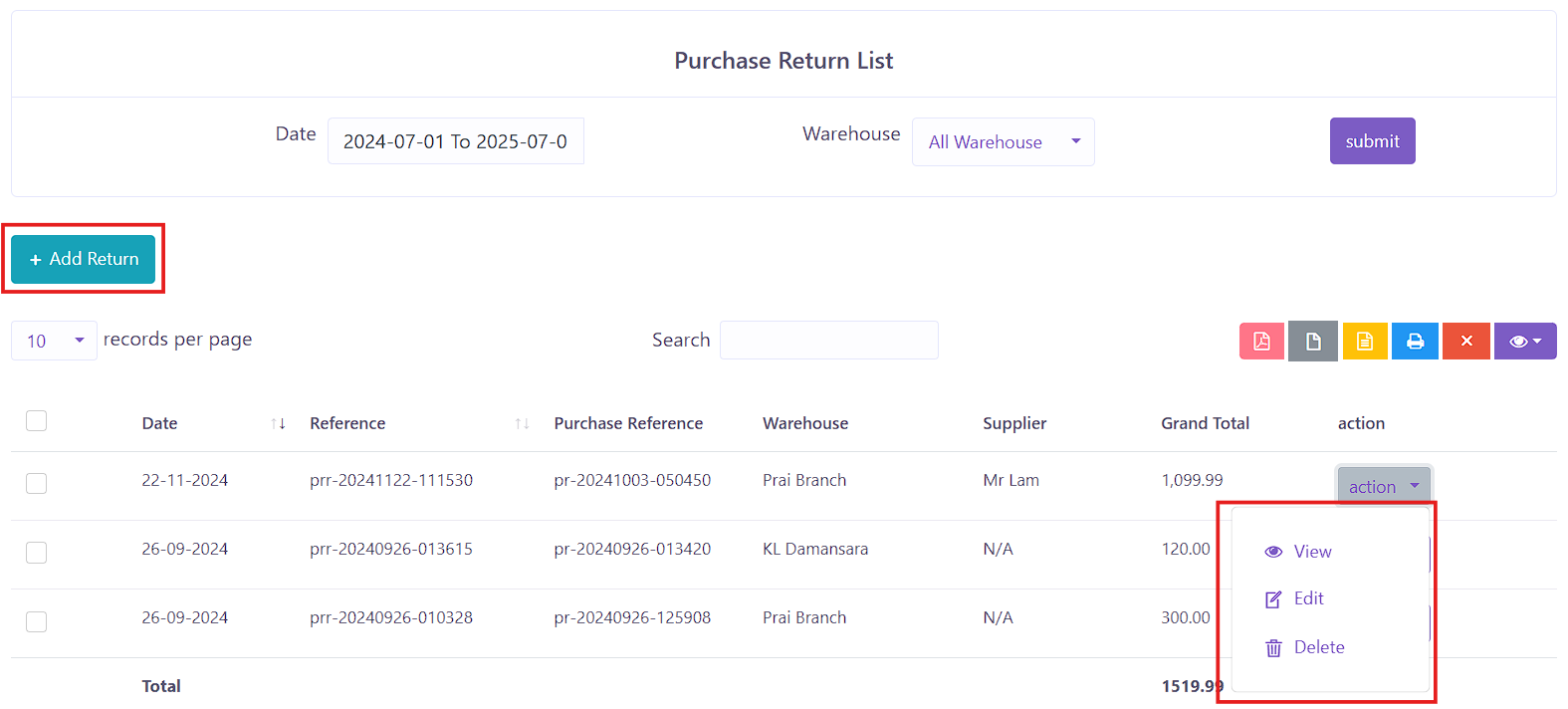 Figure X: Purchase Return List
The Purchase Return page shows all returns to suppliers. It includes:
- Date
- Reference No
- Purchase Reference
- Warehouse
- Supplier
- Grand Total
- Action – Options: View, Edit, Delete
To initiate a return, click the Add Return button, which triggers a popup form:
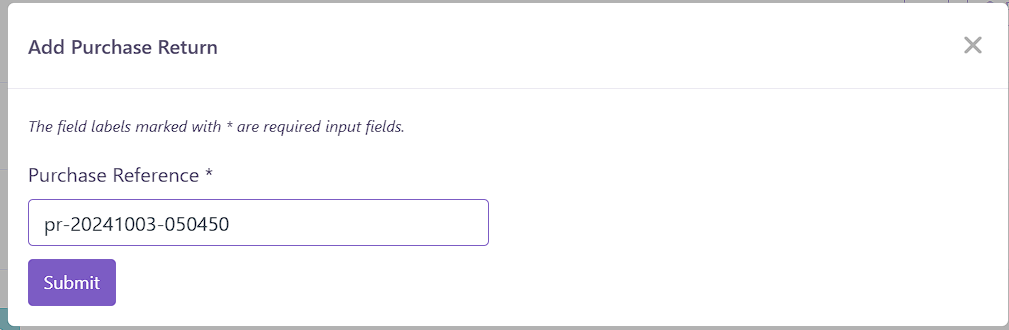 Figure X: Purchase Return Popup
- Purchase Reference Number – Input required to proceed to the return form.
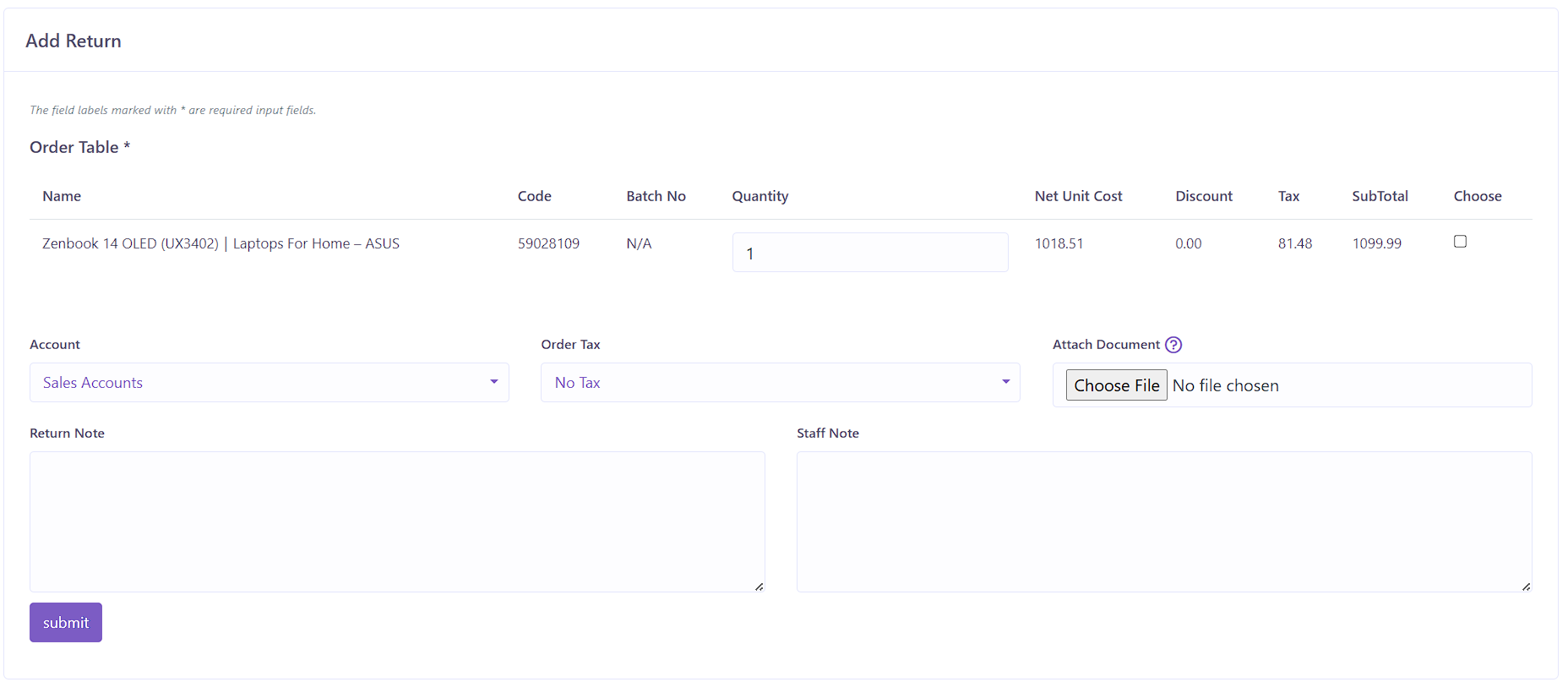 Figure X: Purchase Return Form
Purchase Return Form Details:
- Order Table – Products auto-filled from the selected purchase:
- Product Name & Code
- Batch Number
- Quantity (editable for return)
- Net Unit Price
- Discount
- Tax
- Subtotal
- Choose (checkbox)
- Order Tax – Tax field applied to return.
- Attach Document – Optional file upload.
- Return Note
- Staff Note
- Submit