ERP User Manual
Coupon List
The Coupon submodule under the Sales module enables businesses to create and manage promotional codes that can be applied during sales transactions. Coupons can be issued as a percentage discount or a fixed amount off the total sale, subject to minimum purchase conditions.
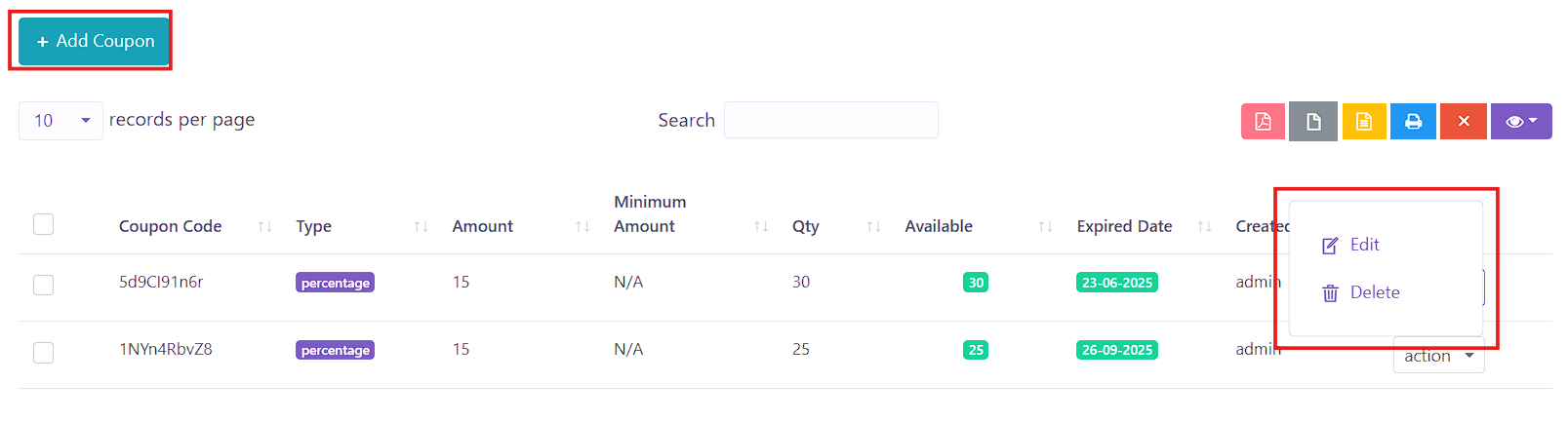 Figure XX: Coupon List Page
 The Coupon List displays all available promotional coupons in a DataTable format, including the following columns:
Key Columns:
- Coupon Code – Unique code to be entered during checkout.
- Type – Determines whether the discount is a Percentage or a Fixed Amount.
- Amount – The discount value (percentage or fixed amount).
- Minimum Amount – Minimum purchase required for coupon to apply (visible if type is Fixed Amount).
- Qty – Total number of times this coupon can be used.
- Available – Remaining quantity available for use.
- Expired Date – Expiration date of the coupon.
- Created By – The user who created the coupon.
- Action – Options to Edit or Delete the coupon.
To add a new coupon into the system, users can click the Add Coupon button,
 located on the Coupon
Index page. This will open a form where coupon details must be filled in.
located on the Coupon
Index page. This will open a form where coupon details must be filled in.
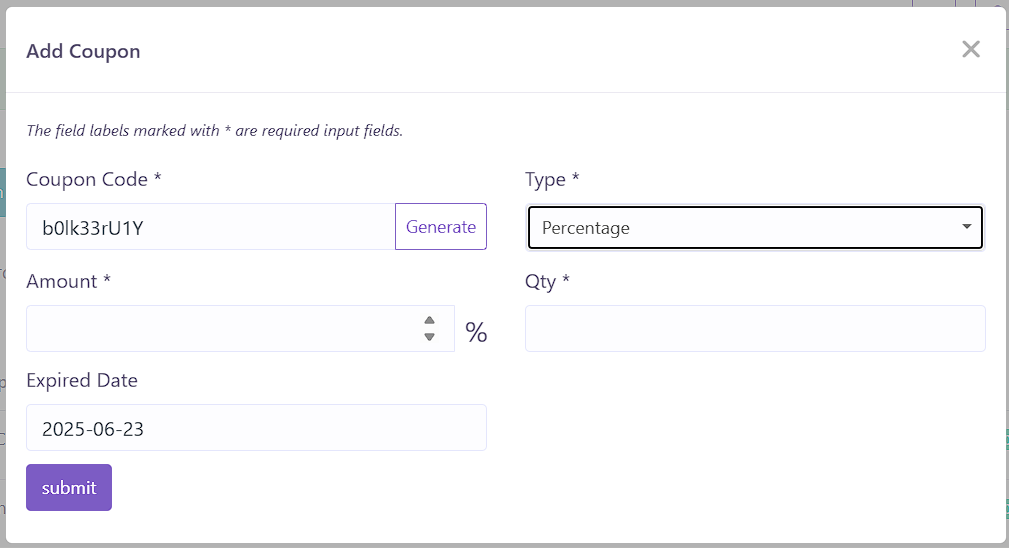 Figure XX: Add Coupon Form
 The form includes the following fields:
- Coupon Code – A unique identifier for the coupon. It can be system-generated.
- Type – Select either Percentage or Fixed Amount.
- Amount – Specify the discount value (percentage or fixed amount based on selected type).
- Qty – Total number of times the coupon can be redeemed.
- Expired Date – Define the expiration date of the coupon.
After filling in the required details, click Submit to create the coupon. The new coupon will then appear in the Coupon List and can be used in applicable sales.