ERP User Manual
Introduction
ZeeStore ERP is a comprehensive Enterprise Resource Planning (ERP) system designed for small to medium-sized businesses. It provides a unified platform to manage core business operations such as sales, purchases, inventory, customer management, and reporting.
Purpose of this Manual
This user manual provides step-by-step guidance for navigating and using the system effectively. Whether you're a system administrator, cashier, inventory manager, or accountant, this guide covers the essential workflows tailored to your role.
Who Should Use This Manual?
- Business Owners & Managers
- Sales & Purchase Team
- Inventory/Warehouse Staff
- Finance & Accounting Personnel
- IT Administrators
Main Modules
The system is divided into several key modules:
- Sales: POS system, invoice generation, payment tracking
- Purchase: Order creation, supplier management
- Stock Management: Inventory tracking, stock adjustments
- Reports: Sales, purchase, and inventory analytics
- Settings: User roles, permissions, company preferences
Dashboard Overview
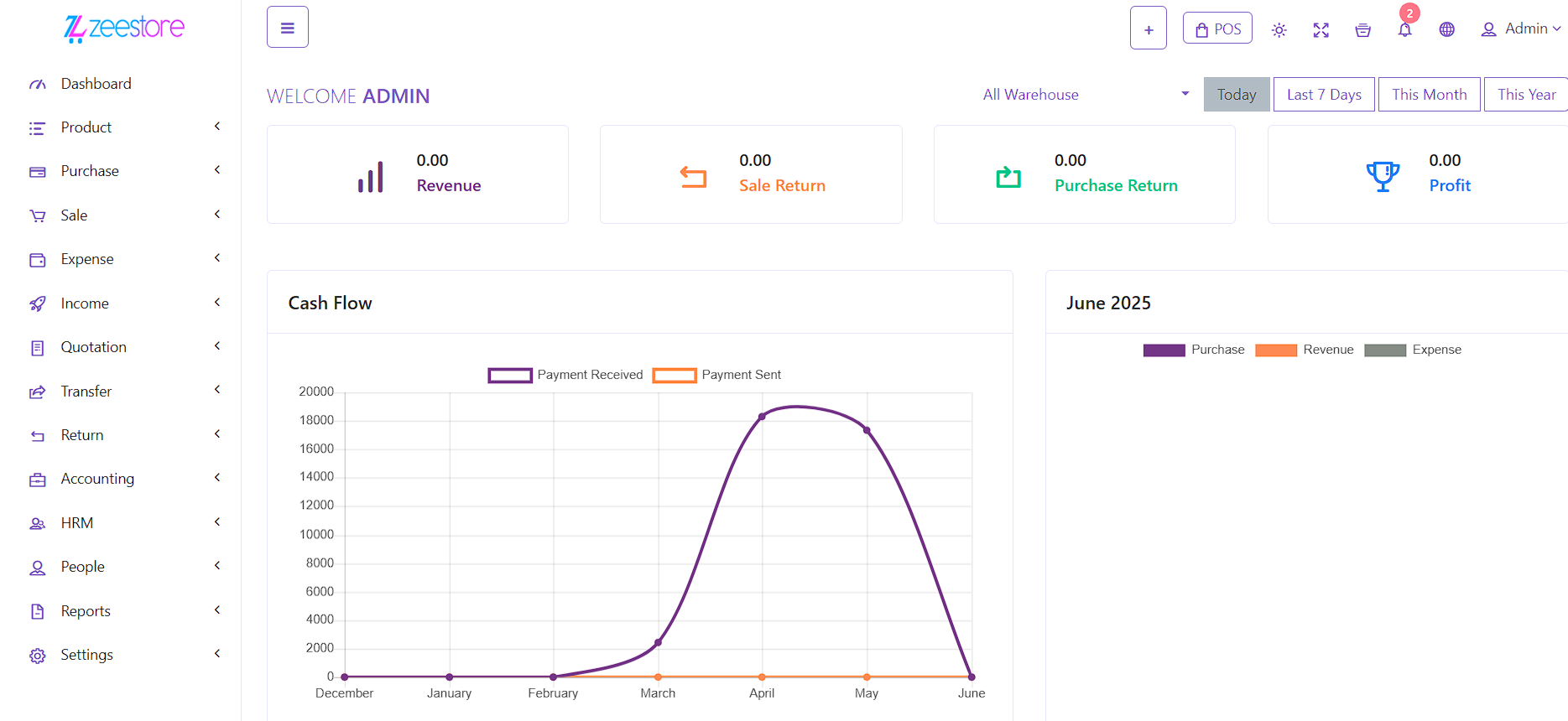 Figure 1: ZeeStore ERP Dashboard
Getting Started
Use the sidebar on the left to navigate through the documentation by module. Start with the installation steps, then explore each module based on your role.
System Requirements & Specifications
This section outlines the core technologies and environment required to run EasyERP smoothly. Understanding these components will help developers and IT administrators ensure proper deployment and maintenance of the system.
| Component | Details |
|---|---|
| Application Name | EasyERP |
| Framework | Laravel 10.15.0 |
| PHP Version | PHP 8.2 or higher |
| Database | MySQL 5.7 / 8.0 |
| Front-End Stack | Laravel UI (Blade), Bootstrap 5, jQuery |
| Modular Structure | Yes (via nwidart/laravel-modules) |
| PDF Generation | barryvdh/laravel-dompdf |
| Excel Integration | maatwebsite/excel v3.1+ |
| User Permissions | spatie/laravel-permission |
| Authentication | Laravel UI Auth Scaffolding |